
If you manage a PrestaShop store with more than a few hundred products, you already know the routine. Export a file, edit it in a spreadsheet, re-upload it, map the columns again, and hope nothing breaks. Do it again next week. Then the week after. This process consumes lots of time and is repeated from scratch every single time, because the tools available either do too little or require a developer to run properly. Knowband’s PrestaShop Product Import Export Scheduler Pro is launching next week, and it is built specifically for this problem.
The Biggest Problems with Existing PrestaShop Import Export Solutions
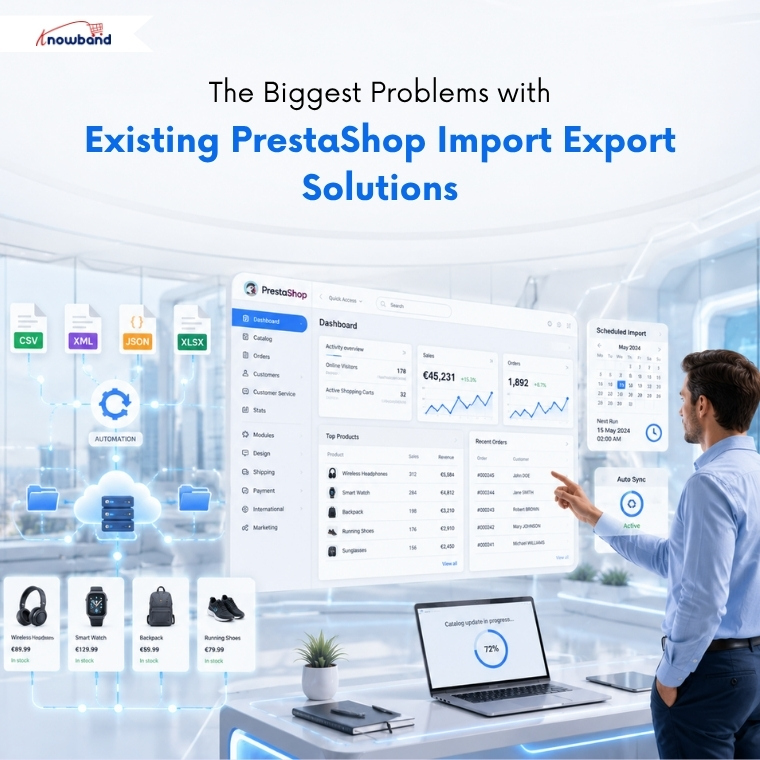
PrestaShop’s native importer handles basic CSV uploads. What it does not handle well is combinations, silent mapping errors, multi-language products, and anything resembling a repeatable process. Store owners have been reporting the same frustrations in PrestaShop forums for years: exports that fail to reimport cleanly, combination transfers that corrupt product data, and no way to schedule anything automatically.
Third-party options exist, but most are either format-locked (CSV only, or XML only), require a separate desktop application, or make automation a paid upgrade rather than a built-in capability.
The issue is not the availability of import tools. It is a lack of one option that covers the full transfer workflow, import, export, multiple formats, automation, scheduling, and error handling, from inside the PrestaShop admin panel without any developer involvement.
What the PrestaShop Product Import Export Scheduler Pro Actually Does
The PrestaShop import export module by Knowband is built around one idea: help merchants automate bulk catalog operations without relying on repetitive manual processes.
Every import and export is saved as a named profile. Choose the data type, file format, language selection, columns, and where the file goes, then save it. Run it with one click whenever needed, or set it on a schedule. “Products Daily CSV,” “Supplier Feed Friday,” “Categories Weekly XML”, each profile runs independently on its own timetable.
Furthermore, four file formats are supported for both import and export: CSV, XLSX, JSON, and XML. Products and categories, both import and export. Multi-language data preserved on every transfer, in every format.
Features That Make the PrestaShop Import Export Module Different
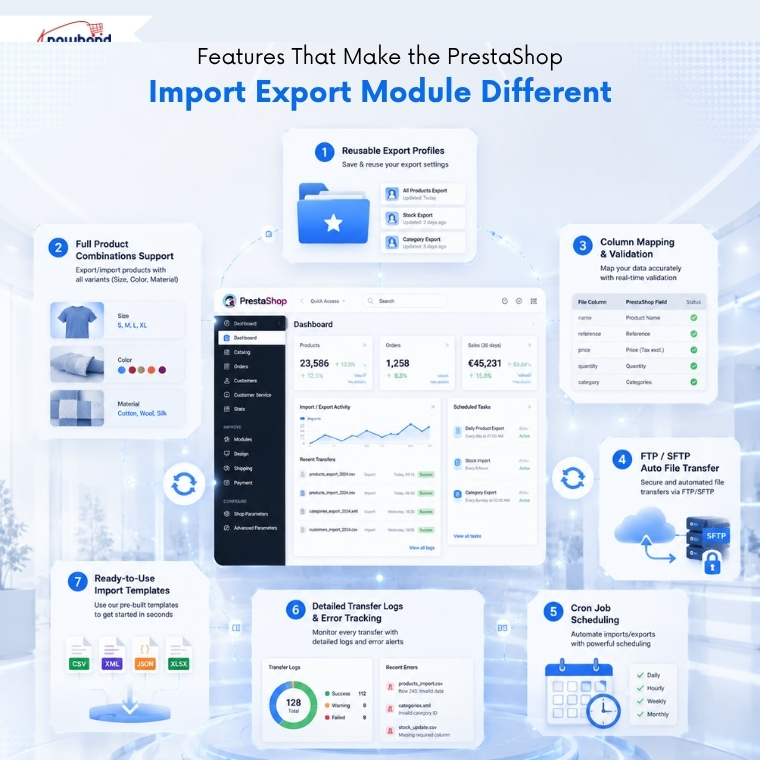
Reusable export profiles
This is one of the most useful features for any store running regular catalog updates. No rebuilding the configuration. No re-selecting columns. No reconnecting to FTP. The profile remembers everything.
Full product combinations support
The PrestaShop Import Export Module covers a pain point that breaks most other tools. Products with size, colour, or material variants export as individual rows linked to the parent product. On re-import, missing attribute values and groups are created automatically. The end-to-end import and export workflow works cleanly, something PrestaShop’s native importer cannot reliably claim.
Column mapping with pre-import validation
The PrestaShop Bulk Product Import Export Module catches errors before the import runs. The mapping screen shows a live inline preview of the first rows of the file being imported. Duplicate field assignments are blocked. Missing required fields are flagged. The admin fixes problems before they reach the live catalog, not after discovering broken products an hour later.
Automated FTP/SFTP File Transfers
FTP and SFTP file transfer is built directly into every profile. Push export files to a remote server automatically. Pull import files from a supplier’s FTP location on a schedule. A connection test inside the profile setup confirms credentials before anything is saved, no failed first run.
Cron job scheduling
Additionally, with the Prestashop Automated Catalog Manager, admins can turn any profile into a fully automated task. Three ready-made cron URLs are generated from the Settings page, copy one into your server’s scheduled tasks, and the transfer runs at every configured interval without anyone logging in.
For stores managing supplier feeds, this is where the module’s capability becomes real. Point an import profile at a supplier’s file location, set the cron schedule, and stock and pricing updates happen automatically every time the supplier updates their feed.
Detailed Transfer Logs & Error Tracking
Transfer logs record every run, date, file name, status, record counts, and row-level error detail for anything that failed. Past export files can be re-downloaded from the logs with one click. Nothing disappears quietly.
Ready-to-Use Import Templates
Last but not least, sample template files for every format are available from the module’s settings page, generated live from the current importer column list. Download one, fill it in, and it imports cleanly the first time.
What This Changes for Day-to-Day Store Management
The clearest change is time. A PrestaShop Bulk Product Import Export module with saved profiles and cron scheduling turns a multi-step weekly manual process into something that runs while the admin is doing something else entirely.
Bulk price updates stop requiring a developer. Export the catalog, edit the price column in Excel, and import it back. The module updates only the mapped fields, prices change, and everything else stays untouched. Set it on a cron schedule, and even the manual edit step disappears for stores pulling prices from a supplier feed.
Catalog migration between stores, which typically requires developer access or careful manual re-entry, becomes an export from one PrestaShop installation and an import into another. Combinations, translations, and category assignments carry across in the same file.
Daily catalog backups happen automatically with the PrestaShop Automated Catalog Manager. Each scheduled export is saved with a unique timestamp, keeping every backup version stored separately. Any previous version can be pulled back from the transfer logs if something goes wrong.
Who the PrestaShop Product Import Export Scheduler Pro Is Built For
The Knowband PrestaShop Product Import Export Scheduler Pro is built for stores where catalog operations are a recurring part of the week, not a one-off task. That includes:
- Medium to large catalogs (roughly 100 to 50,000 SKUs) where clicking through individual product pages is not a viable option.
- Stores working with supplier feeds that update regularly.
- Agencies managing catalog transfers across multiple client installations.
- International stores with multi-language catalogs that need translation preservation on every transfer.
- Any merchant who has spent a morning manually re-importing a file that should have taken ten minutes.
Launching Next Week
The Knowband PrestaShop Product Import Export Scheduler Pro goes live next week, compatible with PrestaShop 1.7 through 9.x.
For the full feature breakdown, formats supported, profile configuration, FTP setup, cron URLs, and everything else, Knowband’s PrestaShop Import Export Module provides a user demo and the user manual. You can find it on the product page.
Thus, if catalog transfers are currently eating up time your team should be spending elsewhere, the PrestaShop Bulk Product Import Export Module by Knowband can be the next big step for you.
For more such reads, you can visit:


